Light HTML Editor

A lightweight, embeddable WYSIWYG editor for existing HTML pages. Drop it into any container and let users edit text and styles — no build tools, no framework required.

8 KB
gzipped
Zero
dependencies
TypeScript
ready
Plugin
API
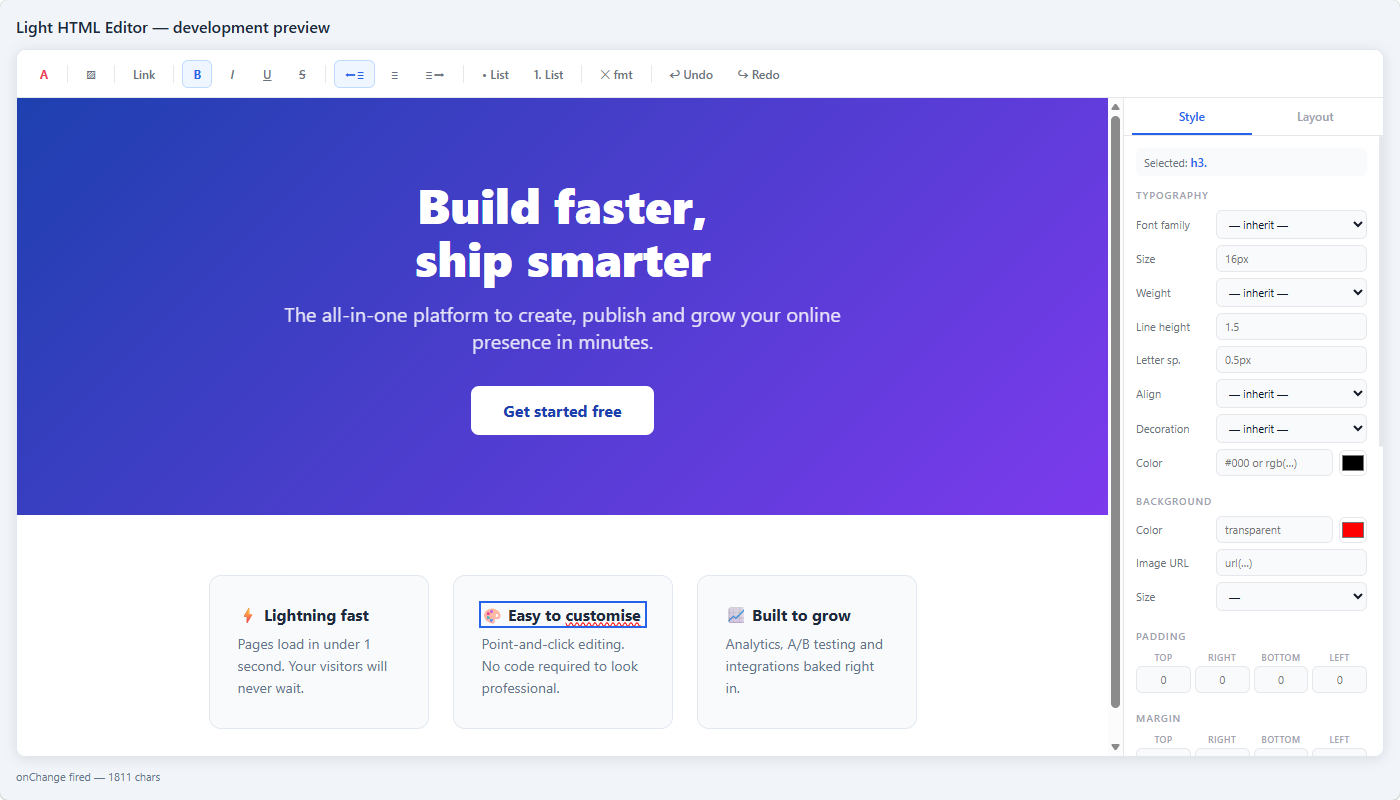
Light HTML Editor Screenshot

Designed for One Specific Job

Light HTML Editor is built to edit existing HTML documents, not build them from scratch.

Good fit for:

No-code / low-code platforms that need an inline page editor

Landing page builders

Email editors

CMS preview panels

Not a fit for:

Building pages from scratch with drag-and-drop blocks → use GrapesJS

Rich document editing (like Google Docs) → use TipTap or ProseMirror

Powerful Features

Everything you need to edit HTML with ease

Rich Text Editing

Format text with bold, italic, underline, and more

Benefit: Professional typography controls

Visual Style Panel

Control typography, colors, spacing, and layout

Benefit: Precise CSS control without code

Plugin System

Extend functionality with custom plugins

Benefit: Tailored to your specific needs

Real-time Updates

Get modified HTML back as users type

Benefit: Seamless integration with your app

Easy Integration

Drop into any container with zero dependencies

Benefit: Works anywhere, no complex setup

Developer Friendly

TypeScript support with comprehensive API

Benefit: Type-safe development experience

How It Works

Simple integration in three steps

1

Include the Editor

Add the script tag to your HTML or import as a module

2

Create a Container

Add a div element where you want the editor to appear

3

Initialize

Create the editor instance with your HTML and start editing

Perfect For

Light HTML Editor excels in these scenarios

No-code Platforms

Provide inline editing capabilities for your users

Landing Page Builders

Let users customize their page content in real-time

Email Editors

Create beautiful email templates with visual editing

CMS Preview Panels

Edit content directly in the page preview

Documentation Tools

Enable users to edit HTML content collaboratively

Content Management

Simplify HTML editing for non-technical users